Aircraft parts ordering portal with built-in approvals
Every sourcing customer gets a private portal with every RFQ, option, order, core, invoice and certificate on the account. Approvals are built in: once your approvers sign off, the order is released to us automatically.
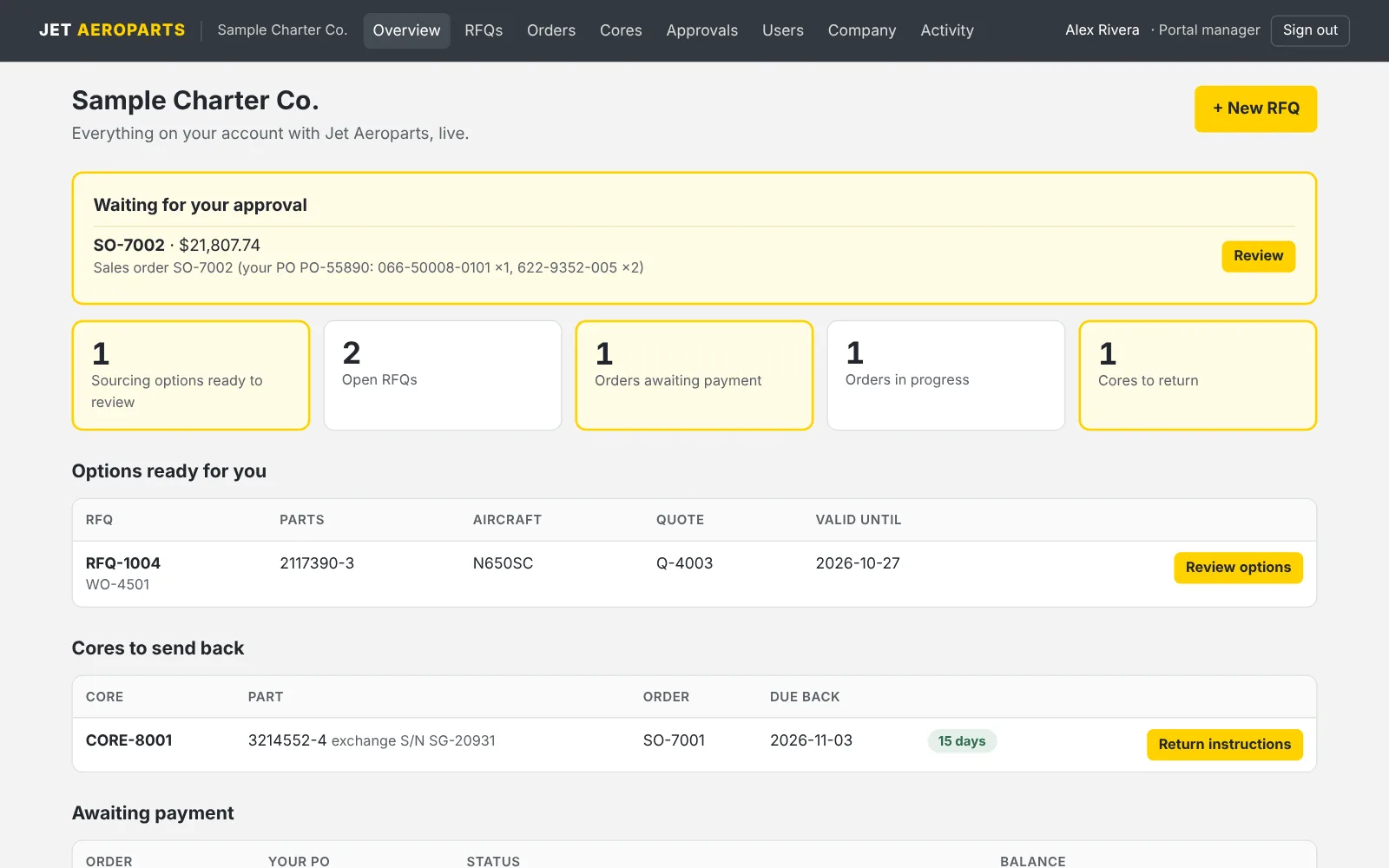
Fully integrated approvals. No chasing signatures.
You set the rules once. Each order that needs sign-off goes to the right people, and approving it releases the order to us on the spot. There's nothing to re-key and no email chain to forward.
Your threshold. Orders over the amount you set need approval. Below it, they go straight through.
Dollar limits per approver. Each order goes to every approver whose limit covers it.
One or two approvers. Require two different people to sign off, and nobody can approve twice.
Approve anywhere. Approve in the portal, from your phone, or by replying APPROVED to the email.
Released automatically. Once approved, the order moves to invoicing and purchasing with no call to us needed.
Audit-ready record. Each decision is filed on the order with who, when and how, plus a fingerprint of the exact document that was approved.
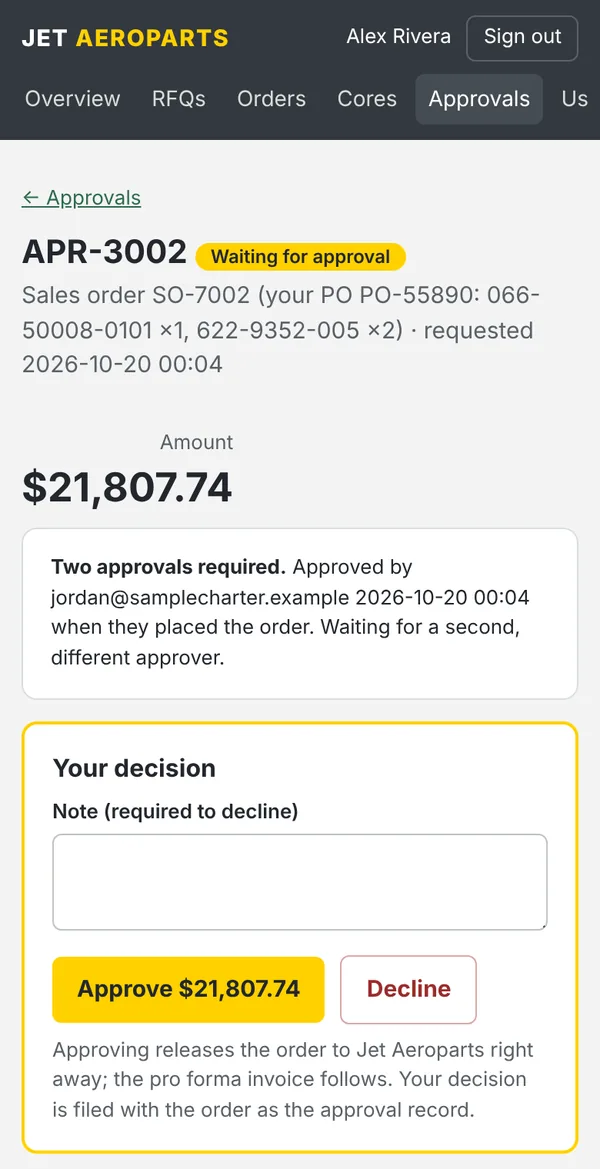
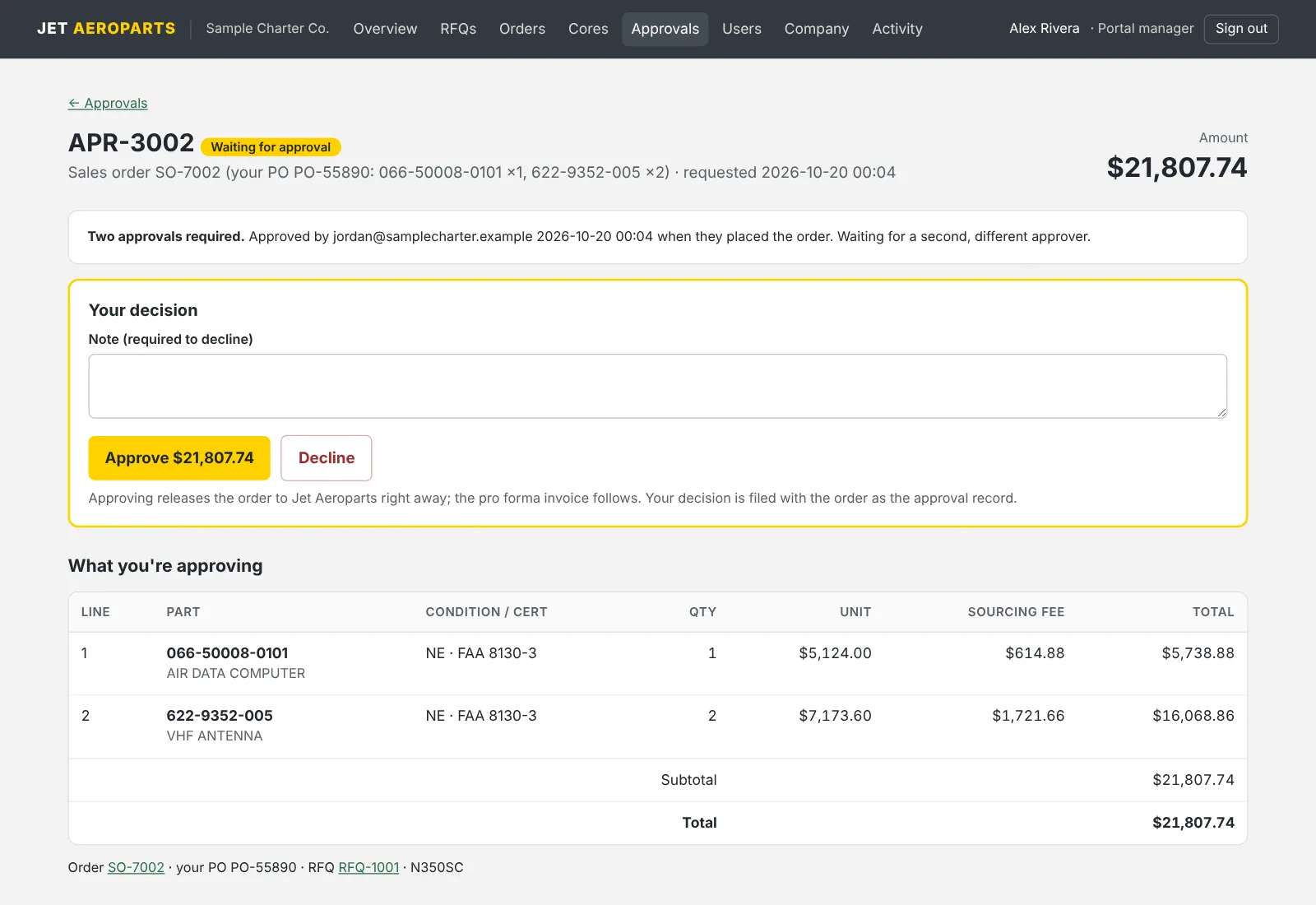
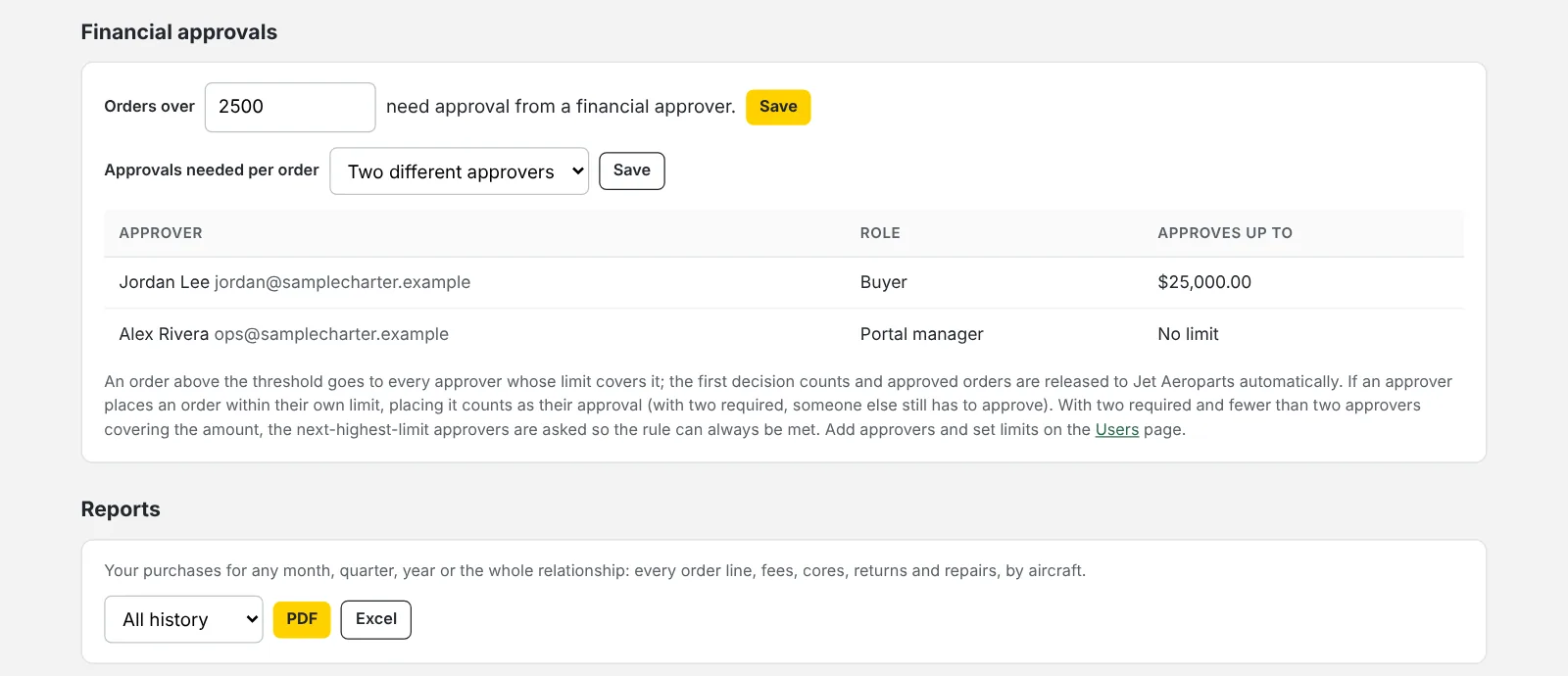
Built for people who sign for parts.
Your purchasing data belongs to you. The portal is locked to your company, every person has their own access, and every action leaves a trail.
A sign-in for every person
No shared logins. Each person is invited by email with a one-time link that expires, and sets their own password of at least 12 characters.
Roles you control
Your portal manager adds and removes people and sets who can buy, who can only view and who can approve. Removing someone signs them out right away.
Your company's data only
Every page and every download is checked against your account. No one outside your company can see your orders, prices or documents.
Hardened sign-in
Repeated wrong passwords are slowed down and locked out, sessions expire on their own, and the whole portal runs over encrypted HTTPS.
A full activity log
Every sign-in, RFQ, order, cancellation, approval and download is recorded with who did it and when. When our team opens your portal to help, that's logged under their name too.
Records that hold up
Approval records, certificates, invoices and every email on an order are kept with the order and backed up off-site, ready for AP, audit or a records request.
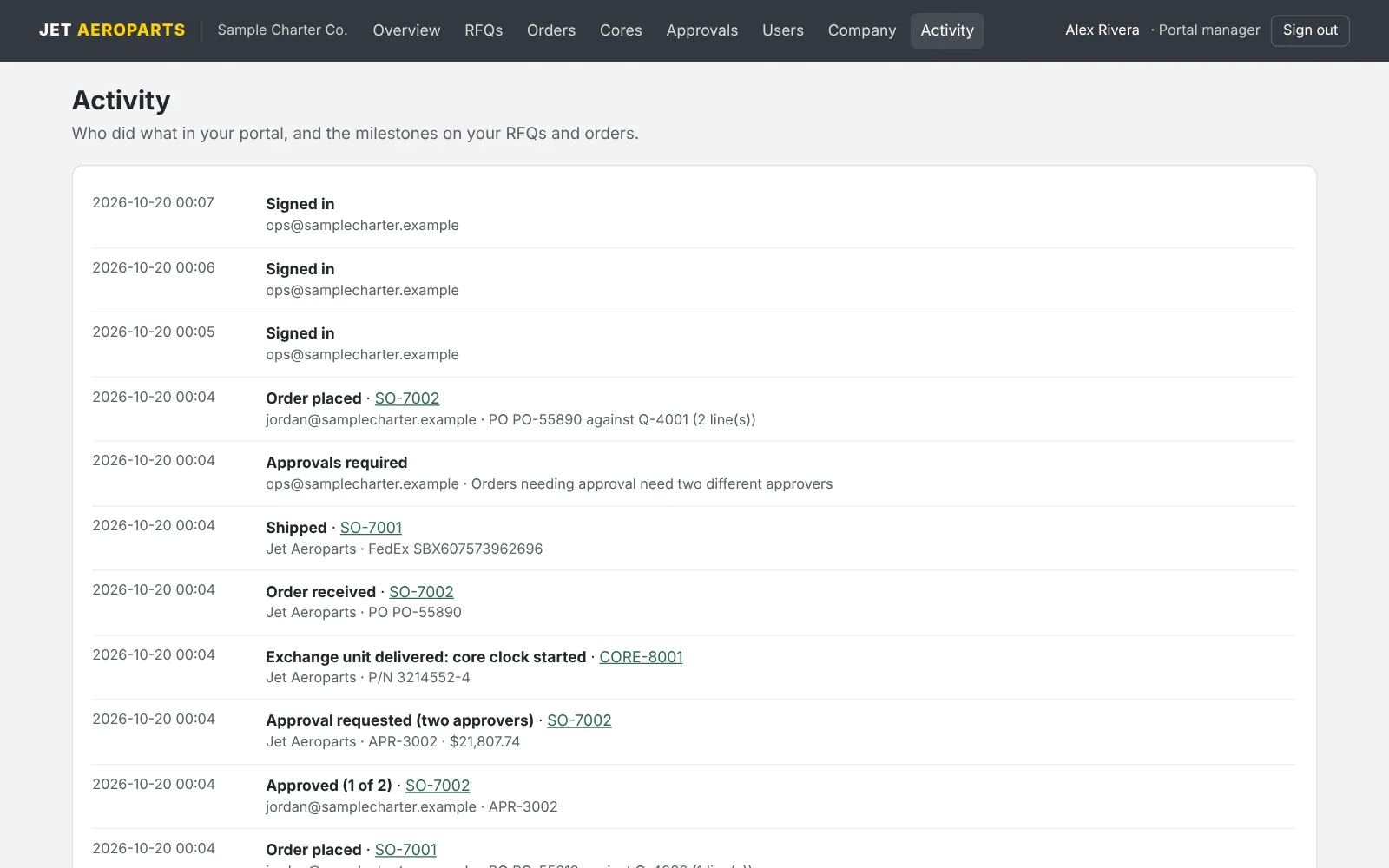
From shortage to shipped, without the inbox.
Everything you used to dig out of email threads is in one place, live. Email still works exactly as before. The portal just means you never have to search for anything.
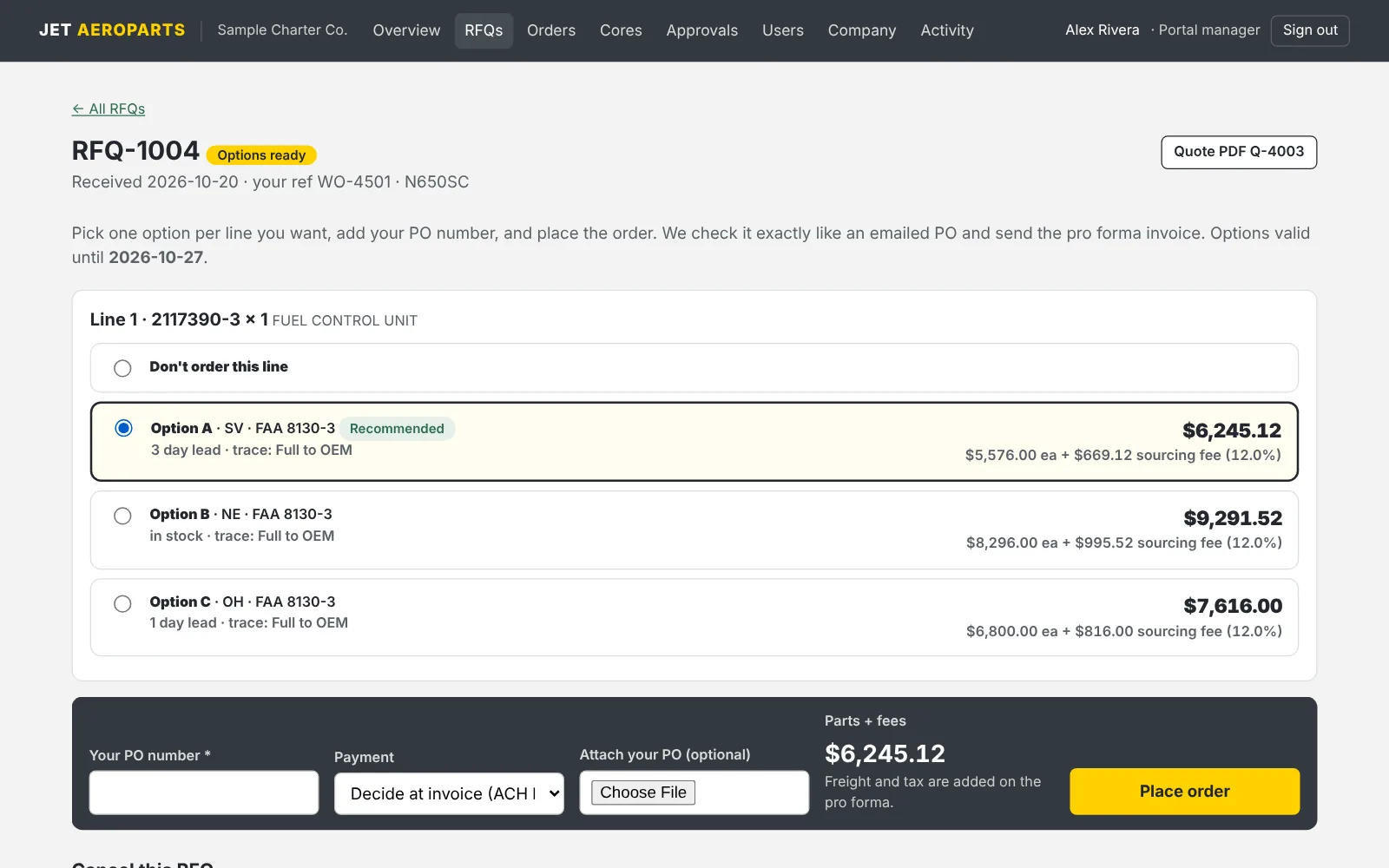
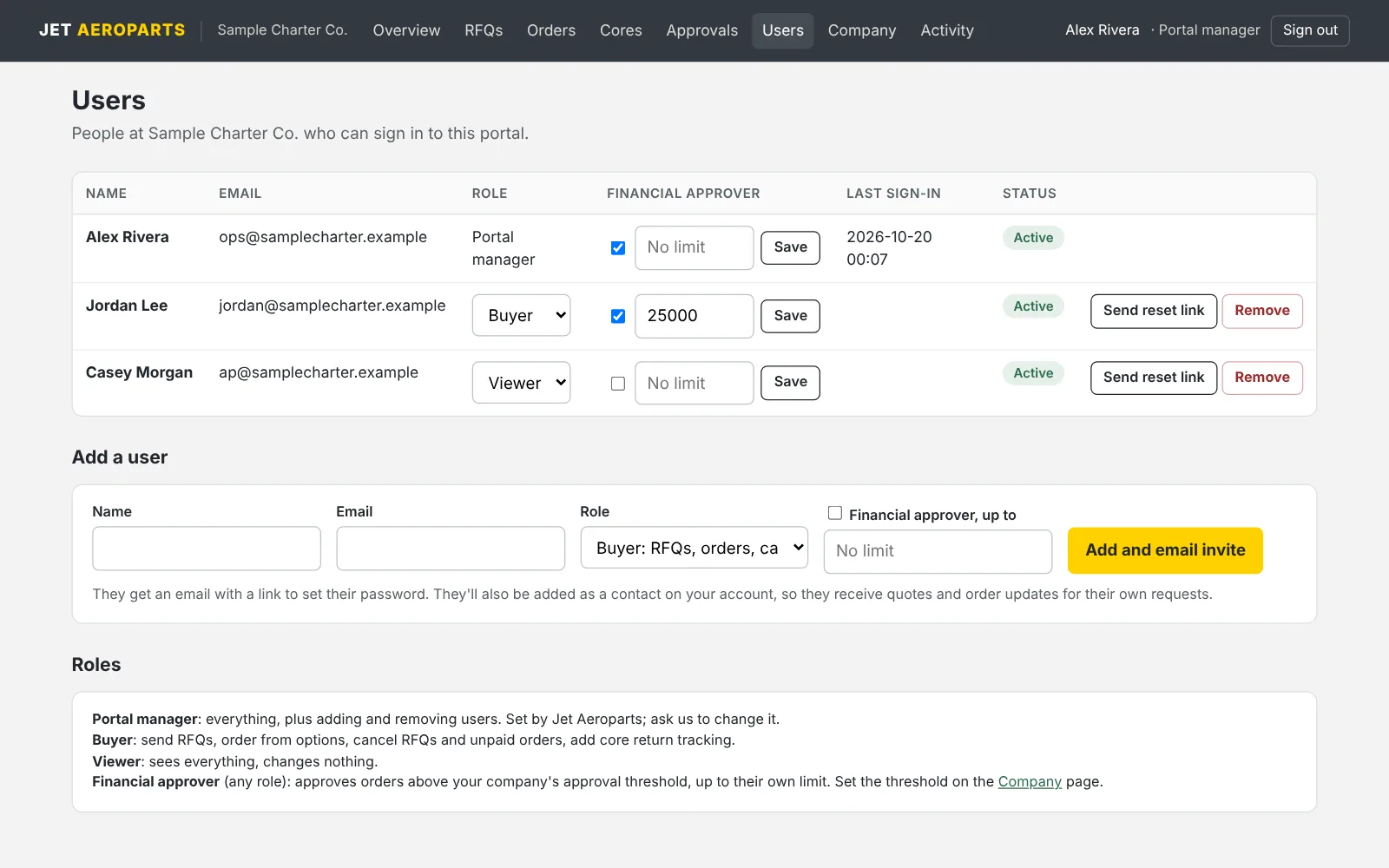
How the portal works.
Who gets a portal?
Every sourcing customer. Your portal is created when your account is opened, and we send your primary contact an invitation to set it up as portal manager.
What does it cost?
Nothing. The portal is included free for every sourcing customer under a sourcing agreement, with no seat or user fees. (Companies that license JetOps get customer portals for their own customers as part of the platform.)
Do we have to stop using email?
No. Requests, POs and approval replies by email work exactly as before. Everything still shows up in the portal either way.
How do approvals work?
Your portal manager sets the amount above which an order needs approval, picks the approvers and their dollar limits, and chooses whether one or two people must approve. Approving in the portal, or replying APPROVED to the email, releases the order to us automatically.
Can our team see your sourcing fee?
Yes. Your fee structure and signed agreement are on your Company page, and every option shows the part cost and our fee separately.